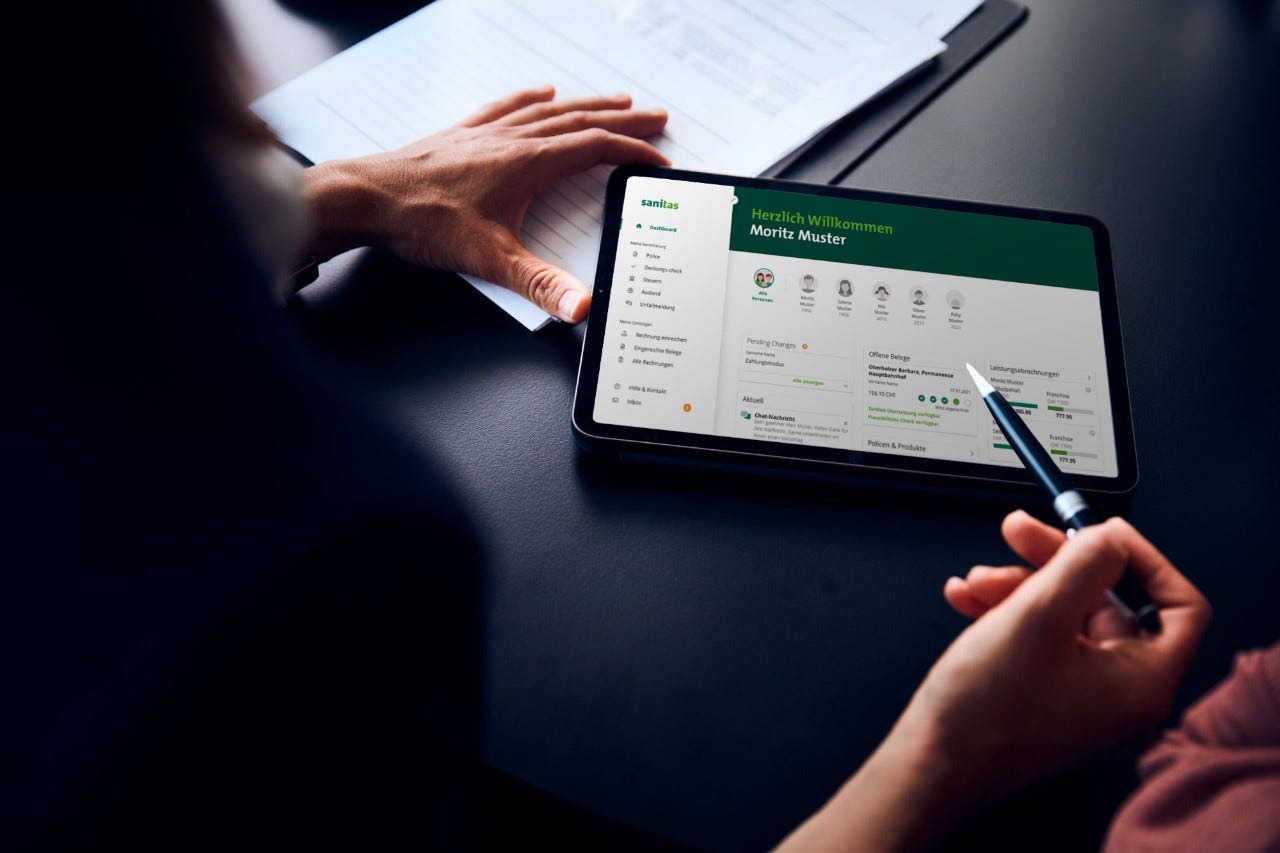
online or via the app
Sanitas Portal
View documents, scan in reclaim vouchers, check your cover – it’s quick and easy in the Sanitas Portal. Online or via the app.
One log-in – many benefits
More than half a million customers already use the Sanitas Portal.
Overview of all insurance data
All documents, statements and the current status of your deductible and copayment in one place.
Submit documents in an instant
Scan and upload – managing insurance has never been easier.
Pay bills with a single click.
Choose from various digital payment methods.
Check cover
Want to know whether your new glasses are covered? Use the Cover Check to find out in next to no time.
Change personal details yourself
You can change your personal details, deductible or insurance model in an instant.
Everything’s easier in the Sanitas Portal app
Manage your insurance affairs in record time and receive support for all aspects of your health. Explore now!

Downloads
Frequently asked questions
-
Who can use the Sanitas Portal?
Customers aged 18 and older can use the Sanitas Portal online and as an app. Non-customers can use the “Health” section with limited functionality.
Already signed up?
- Open the app or link to the Portal
- Enter your email address or customer number and password
- Enter text message code
Good to know: You can then enable biometric login in the app.
Not signed up yet?
- Sign up on the website or in the app (for families: through the head of family)
- Enter customer number, email address, phone number and password
- Verify identity: online (immediately) or by post (token via letter)
-
My password, email address or customer number is incorrect – what should I do?
- Check your entries for typos (upper/lower case, caps lock).
- If you have several email addresses: Make sure you use the right one or log in with your customer number (see insurance card/policy).
- If it still doesn’t work: reset password.
-
No text message code or the wrong one – what should I do?
Don’t receive a text message code?
- Check your log-in data (password and email address/customer number)
- Check internet connection / deactivate flight mode
- Check phone number
- Abroad: check whether a cost block is preventing you from receiving text messages
Code not accepted?
- Text message code is valid for 5 minutes → request a new code
- Check code for typos
Wrong number in the system?
- If it is your old number: Log in once and change the number in your profile
- If it’s not your number: Contact Support on 0848 804 711 (Mon–Fri, 8 am–5 pm)
-
What log-in security levels are there?
Sanitas offers two security levels:
- Password + text message code
Enter email address/customer number + password, then confirm text message code. - Password + push notification from Sanitas Portal app
Activate device in the app under “Log-in & security” and allow push notifications. Then confirm the login on your computer using the push notification on your smartphone.
In the app you can also activated Face/Touch ID.
- Password + text message code
-
How do I activate access for family members?
As the head of family, you can enable access for adult family members:
- Log in → Open profile
- “Manage family accounts”
- Select person → “Activate access”
- Send invitation
-
How do I change the language?
The Sanitas Portal is available in German, French, Italian and English.
Portal (web): uses the language you’ve selected in your web browser. You can switch settings via the menu.
App: Uses your smartphone’s language settings.- Android: Settings → Language & input → Language
- iOS: Settings → General → Language & Region
(If your language isn’t available, the app will automatically select English.)
-
How can I submit reclaim vouchers?
Scan in your documents quickly and easily using your smartphone camera or upload the document as a PDF directly in the Sanitas Portal.
-
Where can I find my documents?
In the Sanitas Portal you can find your policy document and claims settlements – stored chronologically and with a filter function so you don’t spend a lot of time searching for what you want.
-
Is my data deleted when I delete the app?
Yes, if you delete the app, your data will also be deleted. However, you can disable sharing for specific data on a case-by-case basis without having to delete the entire app. You can deactivate the applicable data sharing under “Profile”. If you then still want to delete the app, you can ask customer service to delete your account.